


Turn raw match footage into a video worth watching.
Recording a tennis match is easy. Editing it, locating every rally, removing downtime, displaying the score and preparing the best points takes much more work. We compare seven specialist and complementary tools to help you find the right solution.
There is no single winner for everyone: a coach analyzing stroke technique does not have the same needs as a player who wants to publish a match with an on-screen scoreboard.
Which tennis video editor should you choose?
Start with your main goal. Each card takes you to a detailed overview of the software, including its strengths, limitations and pricing.
FREEMIUM
Points, scoring, statistics and customized editing.
AI & STATS
AI-powered stroke tracking and match statistics.
MOBILE
From recorded match footage to shareable highlights.
FREE
Manually trimmed points with automatic score calculation.
TIME-SAVER
Find rallies automatically in a long recording.
COACHING
Slow motion, angles, trajectories and comparisons.
About this comparison We focus on tennis match editing, score management, automation, platform compatibility and free versions. Information is based on the developers’ published specifications (November 2026); this is not an independent head-to-head test carried out under identical conditions.
Comparison table: key features
Compare supported platforms, tennis-specific features and pricing at a glance. On mobile, swipe horizontally to view the full table.
| Software | Platforms | Rally detection | Tennis scoreboard | Highlights | Pricing |
|---|---|---|---|---|---|
| EWPV Tennis Video Editor | Windows | Yes (beta) | Yes | Yes | Free · Pro €18.90/year |
| SwingVision | iOS · iPadOS · macOS | Yes | Yes | Yes | Limited free tier · subscription |
| TennisCut | iOS · Android | Pro only | Yes | Yes | Free · subscription |
| BananaShot | Windows · Mac Apple Silicon | No | Yes | Yes | Free |
| Rallytics | Windows · macOS | Yes | No | Yes | 2 free hours · paid thereafter |
| DaVinci Resolve | Windows · macOS · Linux | Not tennis-specific | Manual setup | Yes | Free · paid Studio |
| Kinovea | Windows | No | No | Not tennis-specific | Free & open source |
Features and prices may change. A feature marked as available may differ significantly in scope between applications.
A closer look at all 7 software options
Here is what each tool offers, what to keep in mind and where to find its official website.
01
Full match editing Windows
EWPV Tennis Video Editor

EWPV Tennis Video Editor is designed to turn raw match footage into a polished, shareable video without switching between several different applications.
- Point-by-point editing, timeline markers and frame-accurate trimming.
- Built-in scoreboard that calculates games, sets, advantages and tie-breaks.
- Optional automatic rally analysis and match statistics.
- Highlight selection, thumbnail creation and MP4 export.
- Pro version: on-screen drawings, synchronized voice commentary and up to 4K export, depending on the source footage.
KEY STRENGTH
A tennis-focused editing workflow, with a scoreboard even in the free version.
LIMITATION
Windows only; advanced customization features require Pro.
PricingFree version with watermark-free Full HD export; Pro costs €18.90 per year.
02
AI analysis iOS · iPadOS · macOS
SwingVision
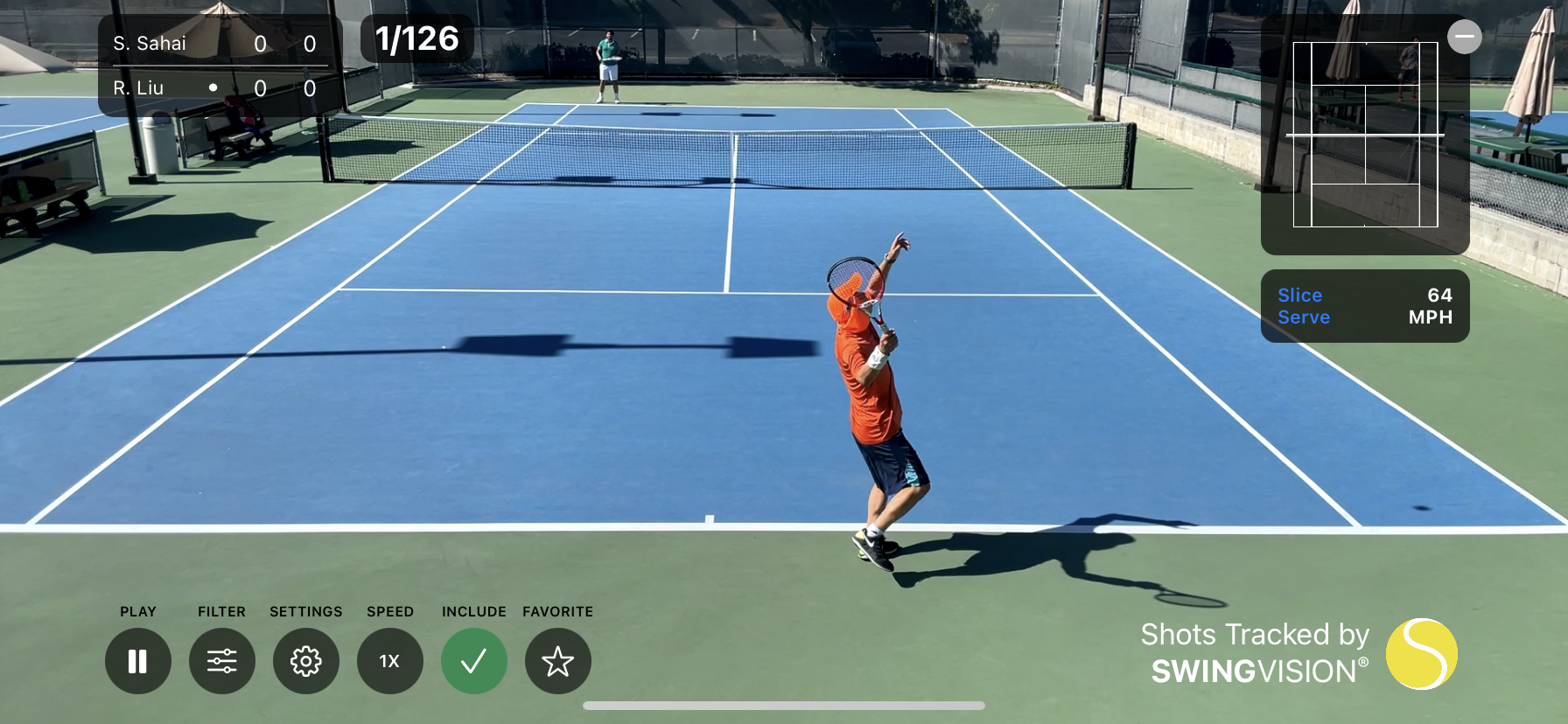
SwingVision is primarily an AI-powered match analysis platform. Its key strength is turning recorded footage into useful performance insights for training.
- Rally detection, shot tracking and statistics.
- Playback filters and visualizations of court zones.
- Automatic highlights and video export with data overlays.
- Scoring and rally analysis features depending on the plan.
KEY STRENGTH
Automated analysis and performance tracking.
LIMITATION
Apple ecosystem only, with subscriptions for many advanced features; less suited to customizable editing on a Windows PC.
PricingLimited free access, with paid plans for additional features.
03
Mobile editing iOS · Android
TennisCut
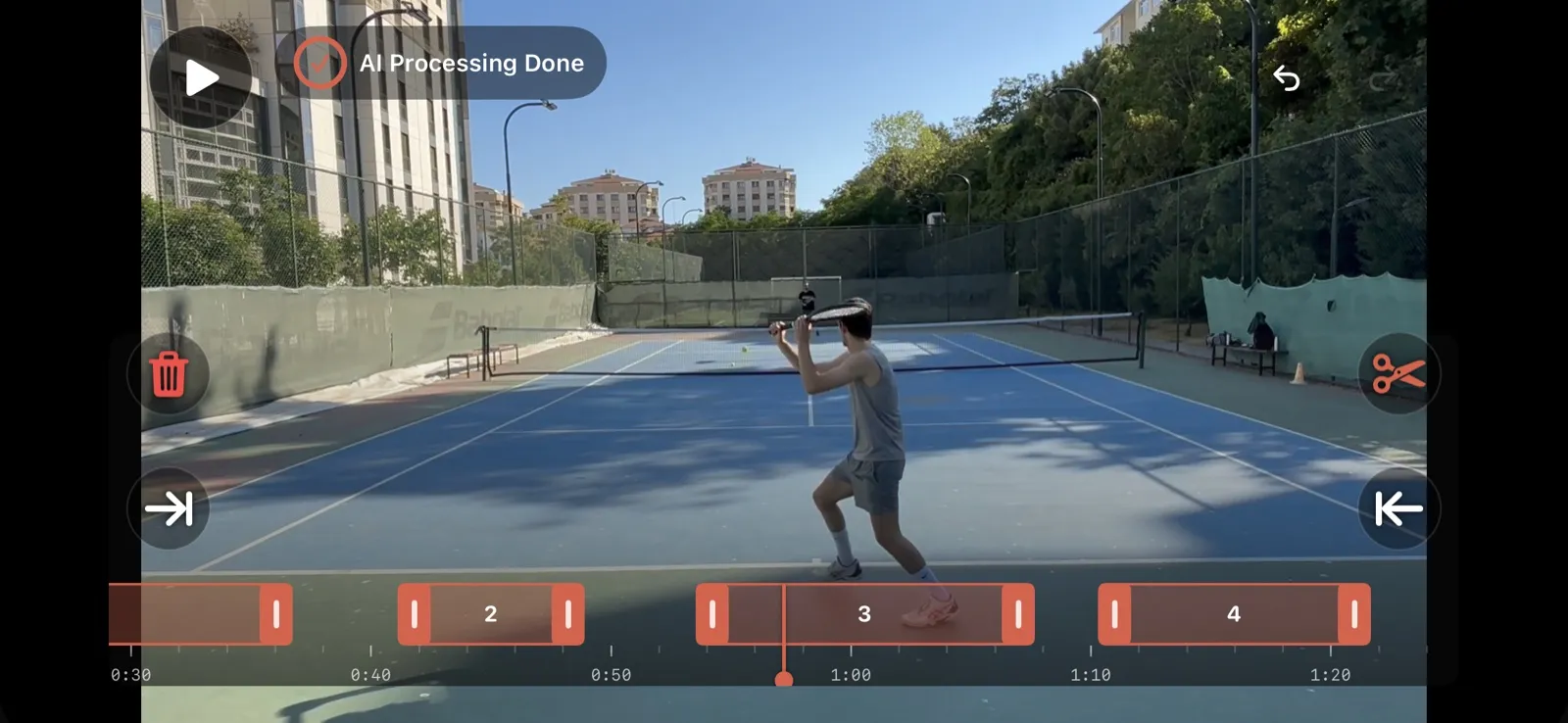
TennisCut is aimed at players who want to edit videos without using a computer. The app is available on iOS and Android.
- Import or record video directly on your smartphone.
- Rally detection and automatic removal of downtime in Pro.
- Point-by-point navigation and ball trajectory visualization, depending on the plan.
- Export short clips, including vertical video for social media.
KEY STRENGTH
A straightforward workflow from the tennis court to sharing a video.
LIMITATION
AI detection requires Pro; editing long matches on a small screen can be less comfortable.
PricingFree version with manual trimming and scoring; Pro subscription for AI and advanced exports.
04
Free scoreboard Windows · Mac Apple Silicon
BananaShot
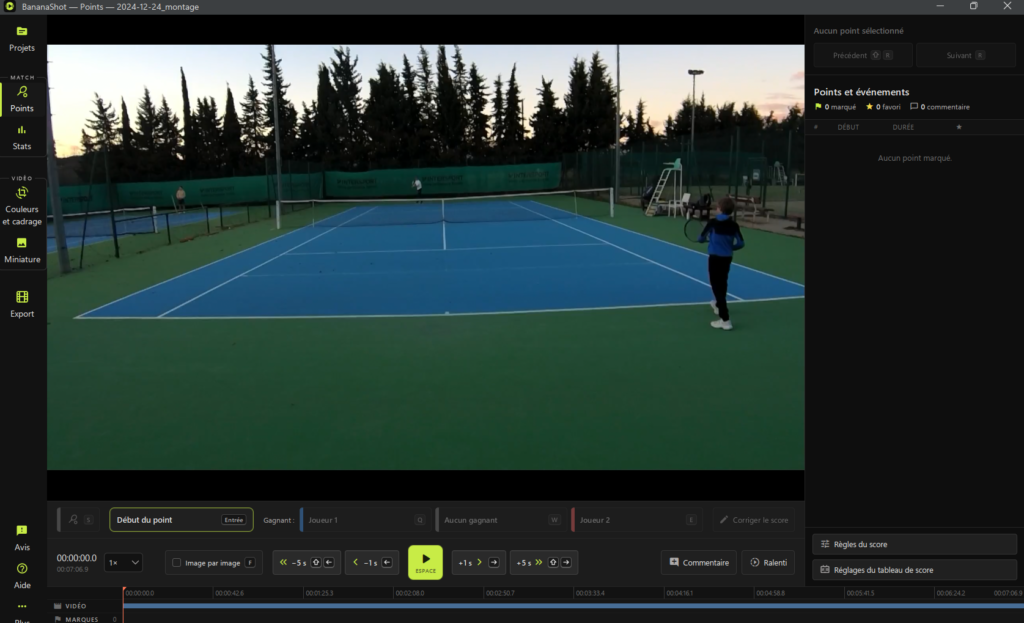
BananaShot is a tennis-specific video editor, currently offered for free on Windows and compatible Apple Silicon Macs. Its approach is intentionally manual: you select the boundaries of each point and identify the winner.
- Trim rallies using a video timeline.
- Score automatically calculated according to tennis rules and displayed on screen.
- Favorite-point selection, comments and statistics.
- Export a full match, just the points or a highlights compilation.
KEY STRENGTH
Built-in scoring, local processing and no mandatory subscription.
LIMITATION
No automatic rally detection; available on Windows and compatible Apple Silicon Macs.
PricingFree at the time of publication.
05
AI rally detection Windows · macOS
Rallytics
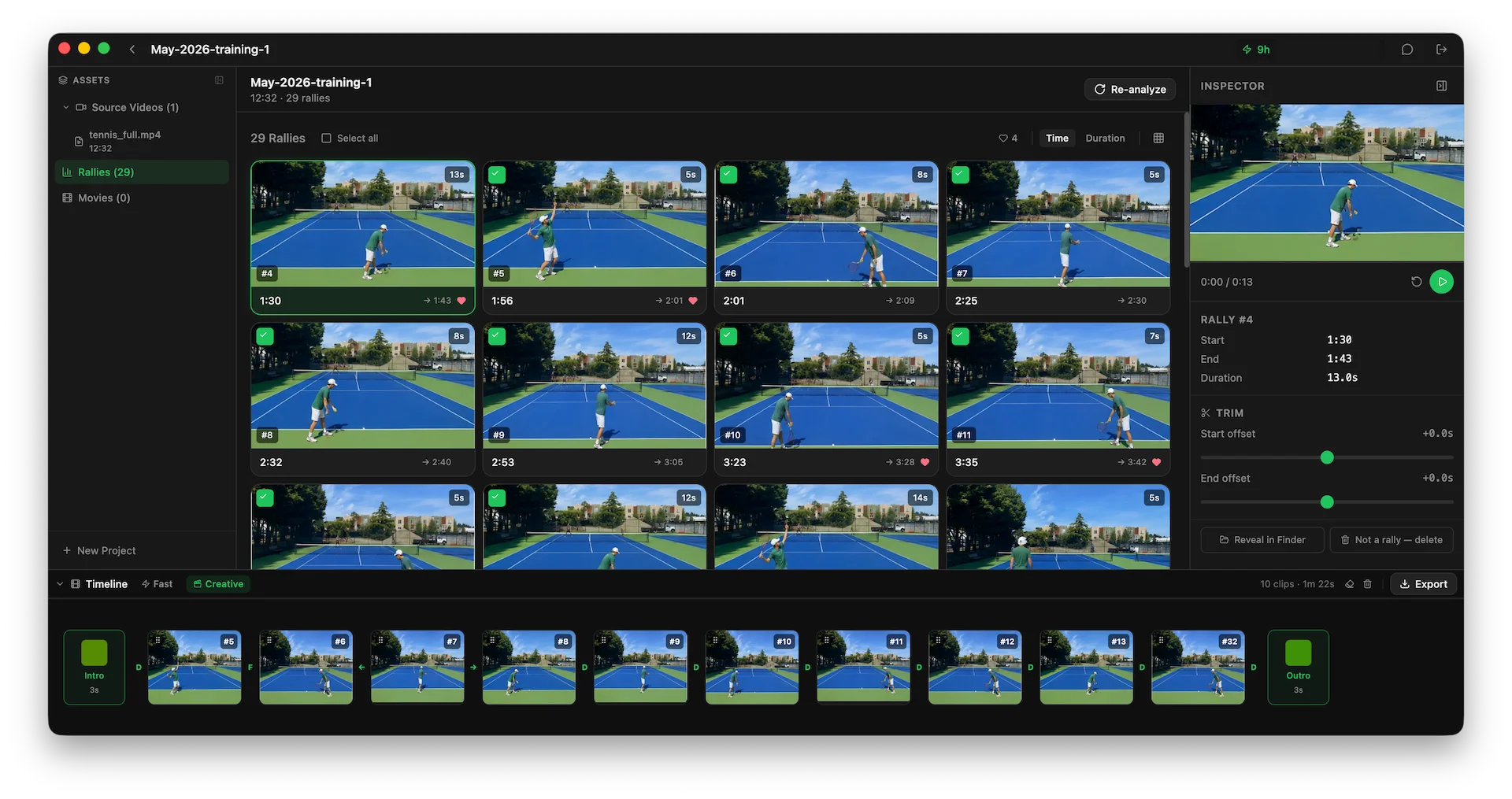
Rallytics focuses on one specific task: automatically finding rallies in long recordings and removing the downtime in between.
- Detect rallies in match recordings.
- Manually correct missed or incorrectly trimmed clips.
- Assemble clips with an intro, outro and transitions.
- Desktop application for Windows and macOS.
KEY STRENGTH
Save time locating rallies.
LIMITATION
No integrated scoreboard. Analysis uses a reduced-size video copy sent to the service; the original footage and editing project remain on your computer.
PricingTwo hours of free analysis, followed by paid hour bundles.
06
Professional video editing Windows · macOS · Linux
DaVinci Resolve
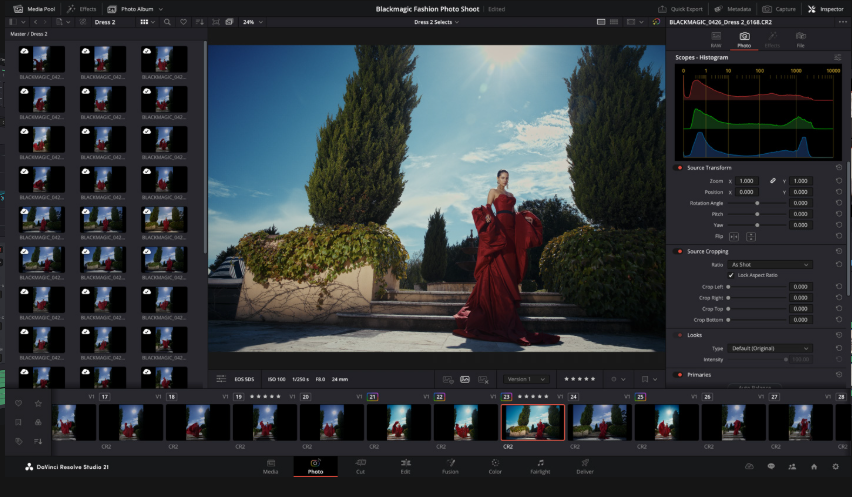
DaVinci Resolve is not tennis-specific. Instead, it offers a professional environment for polished video productions, including multicamera editing, effects, slow motion, color grading and audio work.
- Full editing timeline, transitions and titles.
- Color and exposure correction for challenging match footage.
- High-end YouTube editing and multicamera production.
- A highly capable free version.
KEY STRENGTH
Creative flexibility and professional post-production quality.
LIMITATION
Point-by-point editing and a tennis scoreboard must be created manually or with external assets.
PricingFree version and paid Studio edition.
07
Technique analysis Windows
Kinovea

Kinovea is designed more for coaches than editors. This free, open-source application helps analyze athletic movement through video.
- Slow-motion playback and frame-by-frame navigation.
- Compare two videos side by side.
- Annotations, angle measurements and trajectory tracking.
- Detailed analysis of the serve, forehand, backhand and footwork.
KEY STRENGTH
An excellent coaching tool with no license fee.
LIMITATION
It is not a match editor with a scoreboard and automatic rally editing.
PricingCompletely free and open source.
Our verdict: which tool should you choose?
For editing a match with a scoreboard on Windows, EWPV Tennis Video Editor and BananaShot both fit the bill. EWPV adds customization, annotations and audio commentary, while BananaShot emphasizes free, hands-on editing.
For automated analysis and statistics, SwingVision is particularly compelling. TennisCut is focused on smartphones, while Rallytics specializes in automatic rally detection on desktop.
For more advanced video production, DaVinci Resolve offers professional creative tools, while Kinovea focuses on stroke technique and coaching analysis.
TRY IT FOR FREE
EWPV Tennis Video Editor
Trim your points, add the score and export your match on Windows.
Frequently asked questions
Which free software can add a scoreboard to a tennis match?
EWPV Tennis Video Editor and BananaShot include scoring in their free versions. TennisCut also provides a scoring option on smartphones.
Can I automatically remove downtime from a tennis match?
Yes. SwingVision, TennisCut Pro and Rallytics can detect rallies automatically. EWPV also offers optional automatic detection, currently in beta, with manual adjustment available.
Which tool is best for analyzing a player’s technique?
Kinovea is well suited to slow motion, annotations and movement measurements. SwingVision offers more automated analysis of shots and performance data.
Editorial disclosure. The author is involved in developing EWPV Tennis Video Editor. Other tools are described based on the features published by their developers. This selection is not an independent ranking based on identical hands-on tests.
Image credits. Screenshots from the official EWPV, SwingVision, TennisCut and Rallytics websites; Kinovea image previously published on Elouan Tennis. You can replace each src URL with a permitted image from your WordPress Media Library.